Operation
Technical Specifications
| Ethernet interface | 10/100 Mbps |
| Supported modes | Modbus TCP Server / MQTT Client / MQTTS Client |
| IP allocation | Static / DHCP |
| Configurable parameters | IP Address, Subnet Mask, Gateway, DNS Server, Port |
| Identification | MAC address shown on OLED |
| Diagnostics display | Integrated OLED menu |
Diagnostics
The Communication Module diagnostic view provides current Ethernet configuration and module operating status. It helps verify network settings, identify addressing problems, and confirm the selected communication mode.
Module Status Overview
The OLED menu displays the current operating information of the communication module, including:
- MAC address
- Active communication mode
- Current IP address
- Gateway address
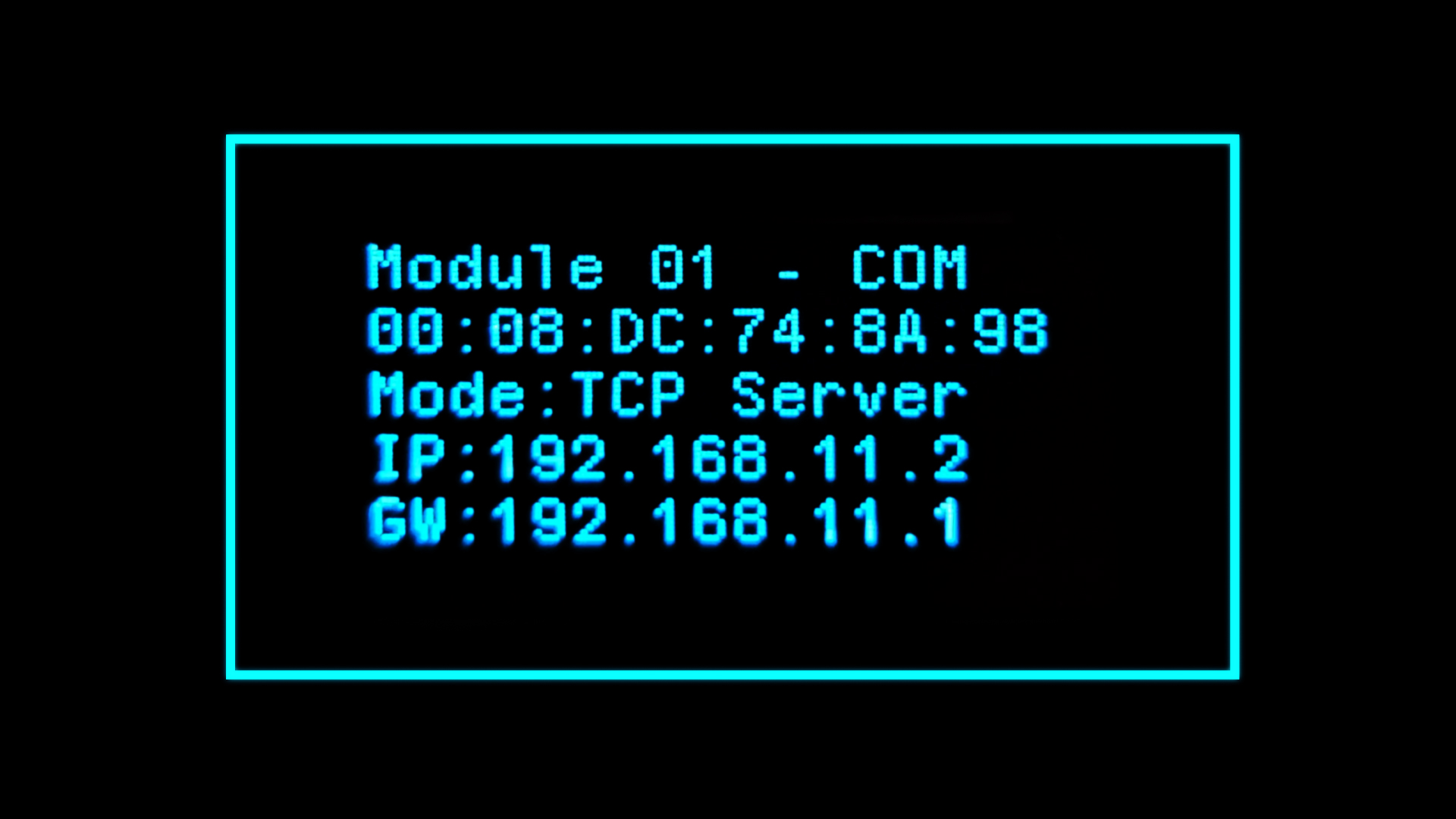
Network Configuration Visibility
⚠️ Active configuration
The active configuration becomes visible on the module OLED as soon as the module connects to the network. Until then, the module will report mode as “Unknown”, and the rest of the parameters will be blank.
Displayed values include:
- Network operation mode
- IP address
- Gateway
- MAC address
- Subnet mask
- Port
💡 Configuration feedback
The OLED provides a direct way to confirm that the communication module has received and applied the expected network settings.